Log in to manage your balance and betting activity

To use Casino EK333 bonuses, fast BDT payments and full game history, you always start from a secure login. Here we explain where to find the Login button on web and mobile, how to enter with phone, password or social account, what to do if you forget your credentials, and how two factor protection works. Follow the steps to access your profile, deposits, withdrawals and betting records without stress.

Casino EK333 keeps all important tools behind the login - balance, BDT payments, betting records and reward center. A correct login gives you full control over deposits, withdrawals and account settings, while protecting your data from strangers.

Open EK333 login page

Where to find the EK333 login button

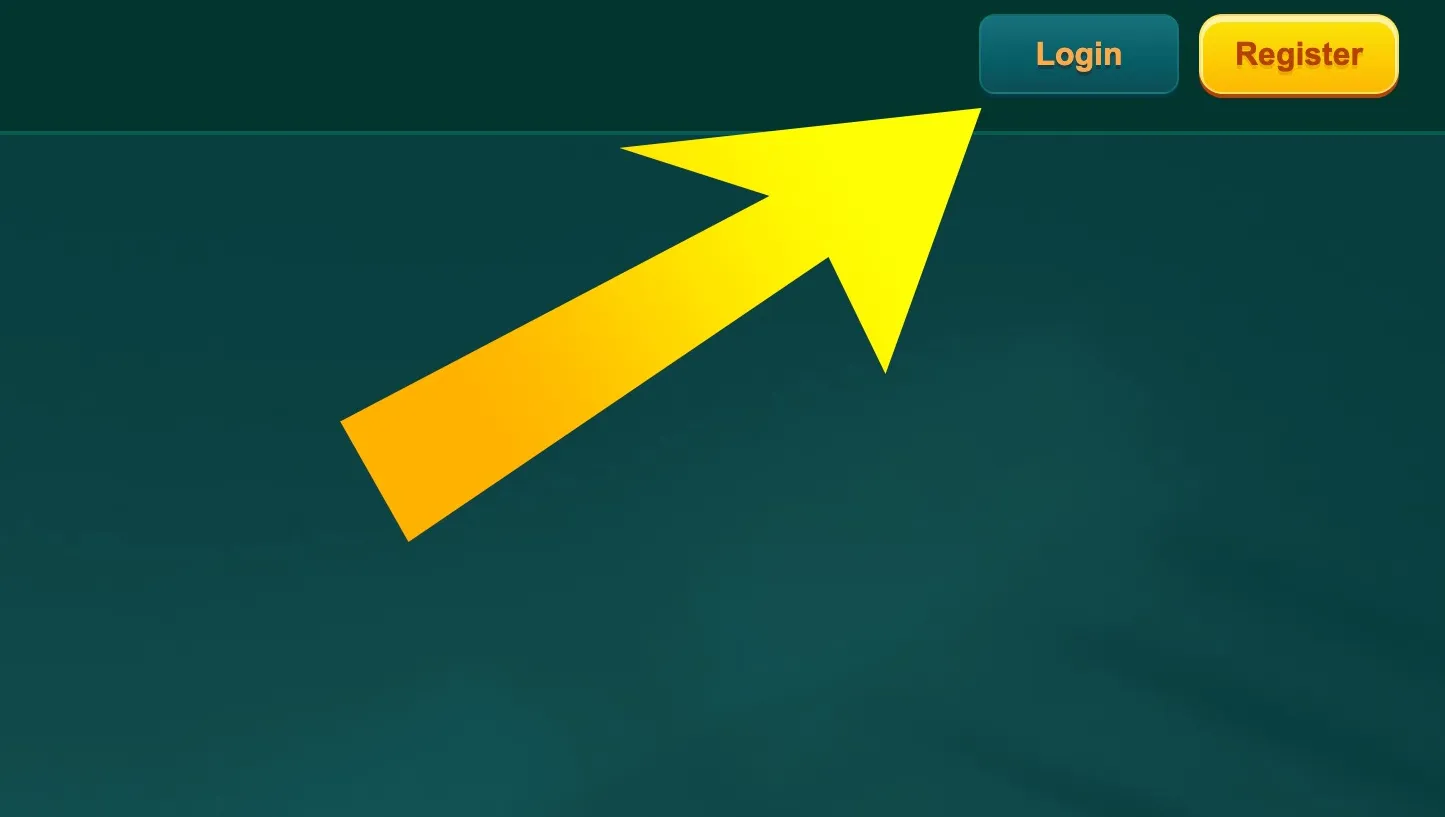
  1. Login button on EK333 header

    On desktop Casino EK333 the Login button is in the top right corner of the screen. The button is next to Register, so you can quickly choose between opening a new account and entering an existing one.

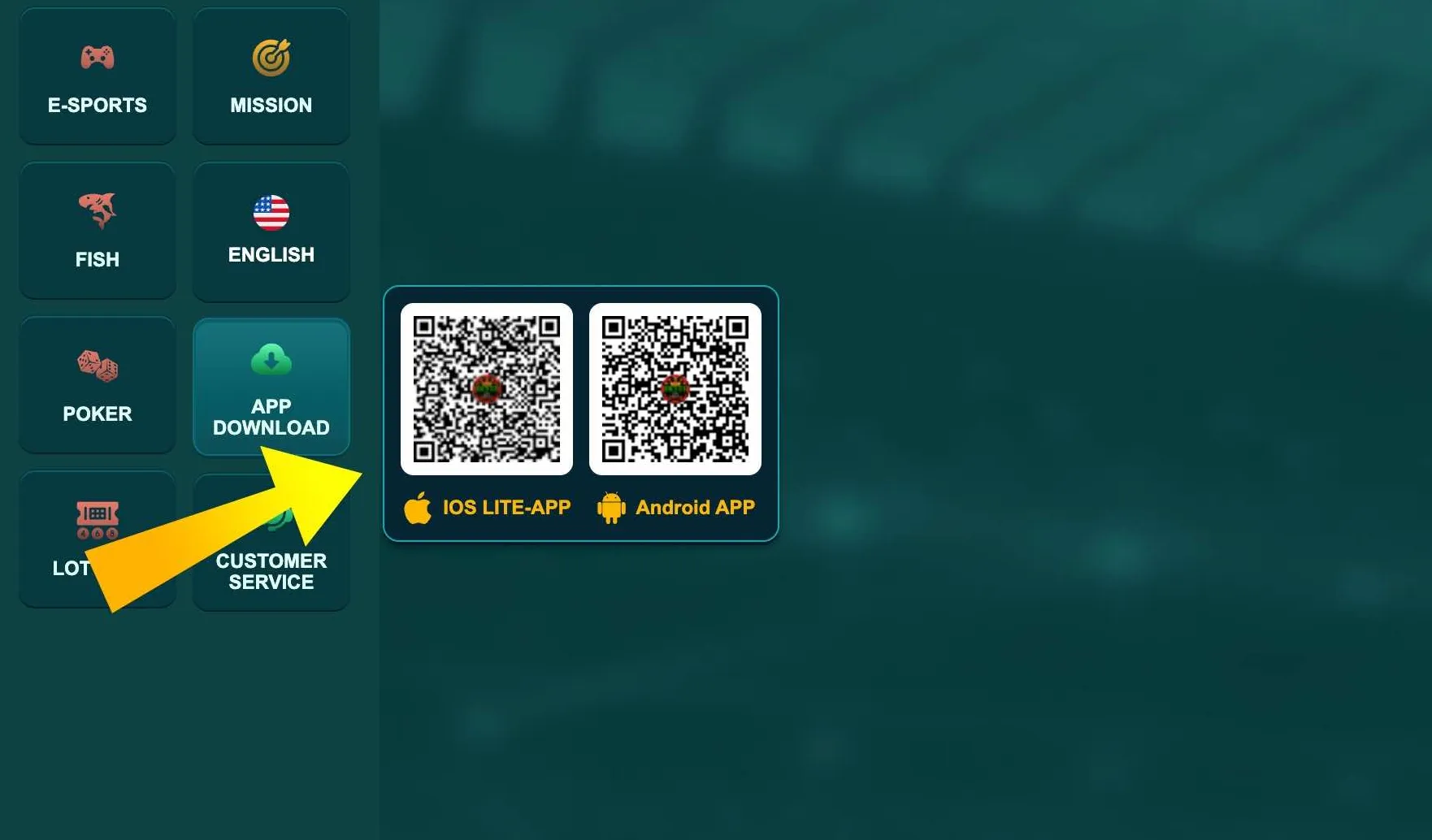
  2. App download menu on EK333

    In the mobile site the Login button is inside the main header and also in the side menu. In the Android and iOS app it appears on the first screen after launch, before you open games or the App Download section.

Ways to log in to EK333

Casino EK333 is built around quick phone based access, which is familiar for players in Bangladesh. You can use several options depending on how you registered.

Main login methods

  • Phone number and password - the default method for most users in Bangladesh.
  • Social login - Google or Facebook if you linked them during registration.
  • Saved device session - when the app or browser remembers you on a trusted phone or PC.

After login you reach the personal menu with profile data, casino information and banking tools. Social login is handy on mobile, but for withdrawals and KYC the platform still uses the phone number as the main identifier.

Step by step EK333 login process

Below is the standard flow for a classic phone and password login in the web version or app.

Structure of the login form

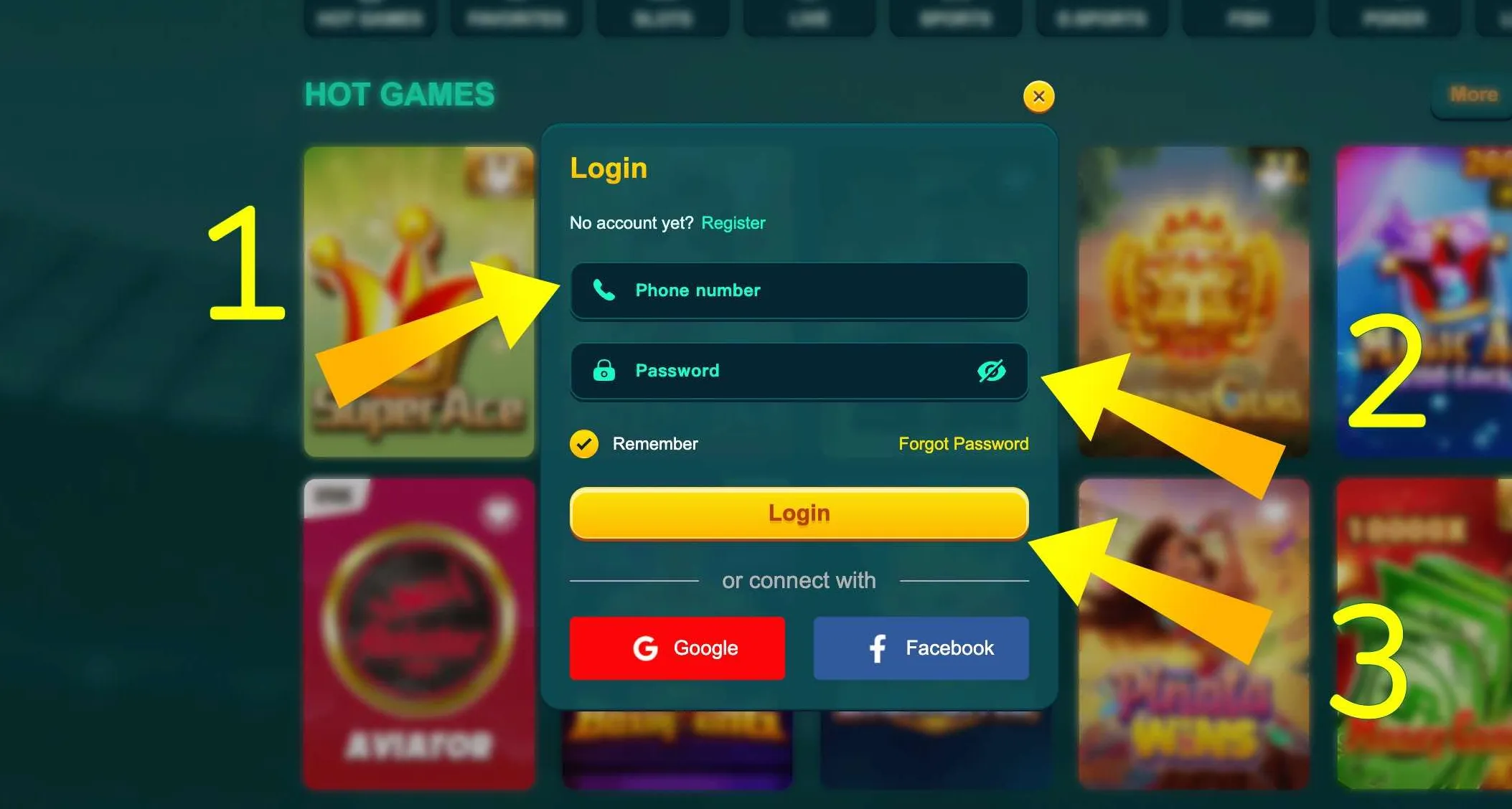
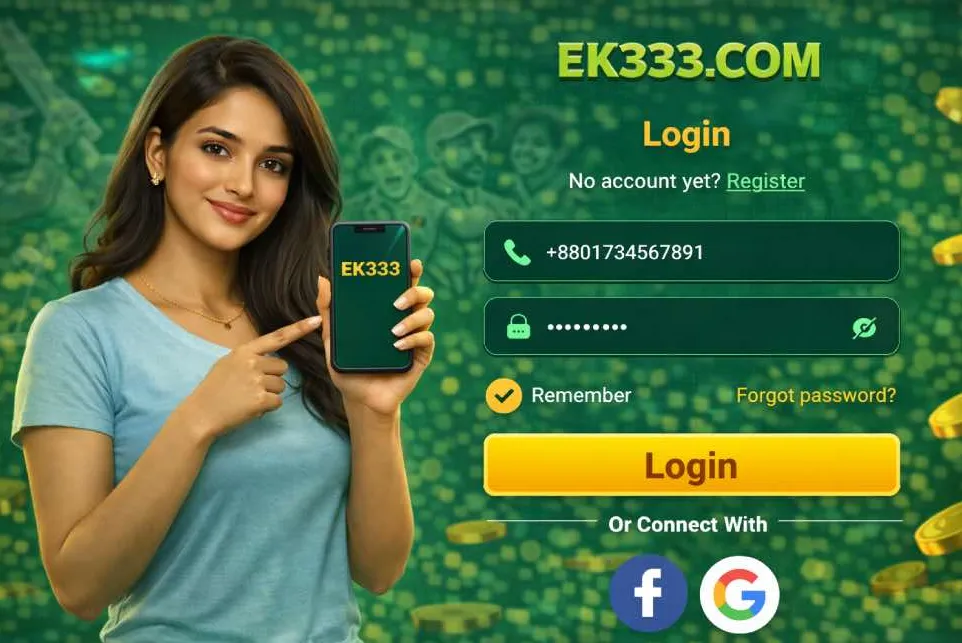
The form in Casino EK333 is simple and always follows the same scheme:

  • Field for Bangladeshi phone number
  • Field for password with eye icon to show or hide symbols
  • Checkbox Remember Me for trusted devices
  • Button Login to confirm
  • Links for Forgot password and social login

The layout is identical on web and in the mobile client, so once you learn it on one device, it feels natural everywhere.

Detailed login steps

  1. Open the official site or launch the mobile app.
  2. Press Login in the top right corner or on the start screen.
  3. Enter your phone number used at registration.
  4. Type your password, check that Caps Lock is off.
  5. Tick Remember Me only on your private device.
  6. Tap the Login button and wait a few seconds.

If the data is correct, Casino EK333 opens your profile menu with balance and quick links to Deposit, Withdrawal and Reward Center.

EK333 login form with phone and password

The EK333 login screen shows phone input, password, Remember option and buttons for Google and Facebook access.

Already have an account at Casino EK333 - use the phone and password form or quick Google login, then move straight to banking and games.

EK333 app hero banner

Login through the mobile application

The EK333 Android and iOS solutions keep the same login logic but add comfort for daily use. After the first sign in, the app stores an encrypted token, so you rarely need to enter your password again.

You can protect the app with device PIN, fingerprint or face lock. This is useful if you share your phone with family and want to avoid accidental access. The app also shows login status in the top bar, so you always know if the session is active.

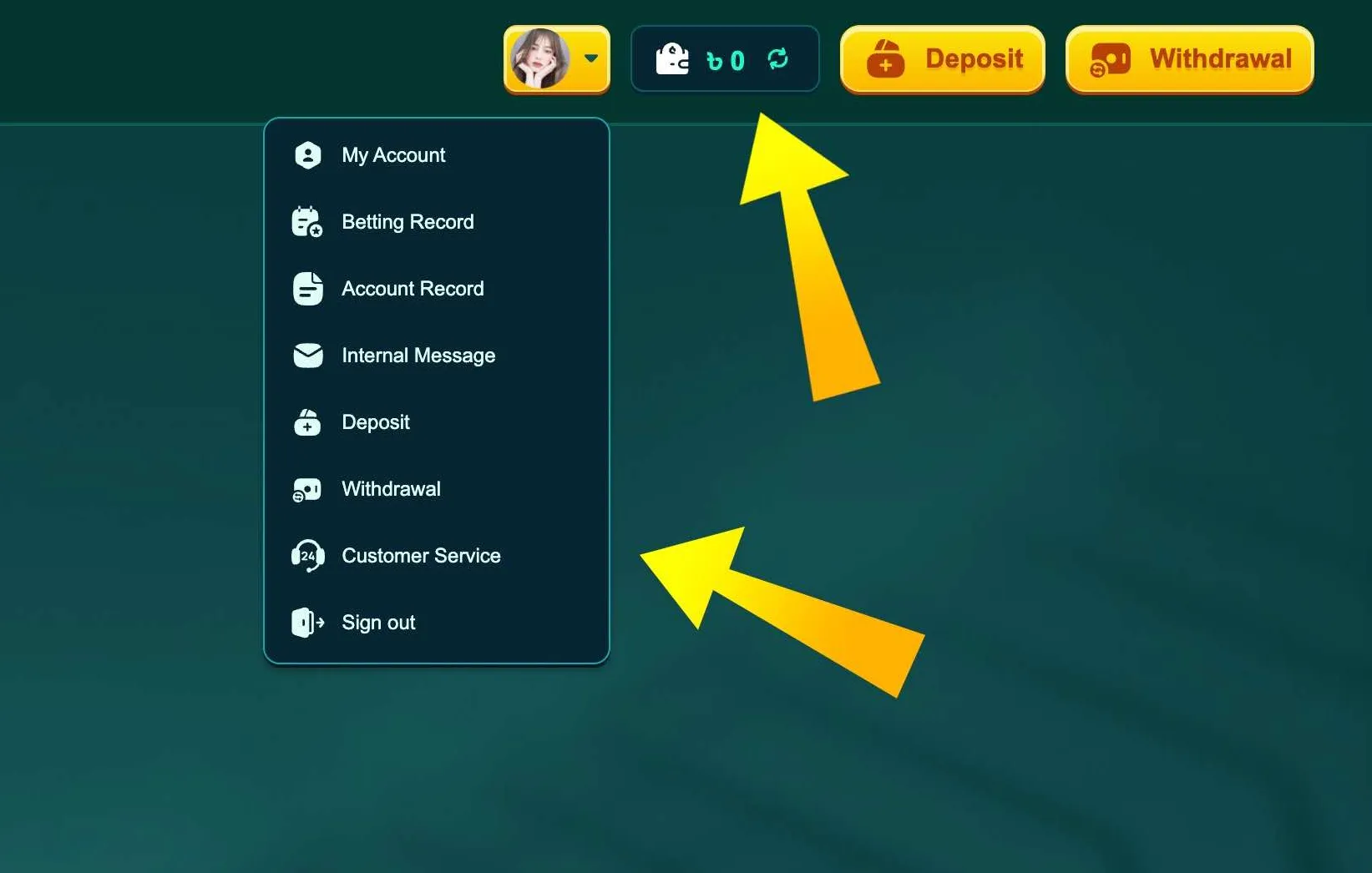
EK333 profile menu after login

Access after successful login

Once logged in, you open the personal center. From there you manage betting history, withdrawals, bonus claims and internal messages from support.

The same login unlocks both casino and sports sections, so you do not need separate accounts. Limits, notifications and verification status are also located in this panel for quick review after every sign in.

Password reset and restoring access

Sometimes players at Casino EK333 forget their password or lose access to the phone used for registration. In this case you can recover the login step by step.

Standard password reset

  1. Open the Login form on the site or in the app.
  2. Press the Forgot password link under the main button.
  3. Choose the reset method - SMS to your phone or email link if connected.
  4. Enter the code from the message or follow the secure link.
  5. Set a new password that follows EK333 rules.

The new password must contain letters and numbers and avoid special symbols. The system checks length and shows an error if your choice is too short or unsafe.

When the phone number changed

If you lost your SIM card, write to support through live chat from the same name and ID as in the profile. You will be asked to confirm identity with national ID photo and payment history. After confirmation the team can attach a new phone to your existing account, so you log in again without creating a duplicate profile.

Recover EK333 access

Typical EK333 login problems and quick checks

Even with a stable platform, login errors can happen. Most of them are easy to solve in a couple of minutes.

Common issues

  • Wrong password - check language layout and disable Caps Lock.
  • Mistyped phone number - confirm all 11 digits of your Bangladeshi number.
  • Old app version - update the EK333 client before trying again.
  • Weak mobile network - switch to a better Wi Fi or data signal.
  • Temporary security lock - several wrong attempts may freeze access for a short time.

If you still cannot enter after these checks, use the live chat in the footer. Support in Bengali and English can see whether the issue is with credentials, device or region.

Two factor authentication and safety during login

Casino EK333 offers extra protection tools that connect directly to the login process.

How 2FA works on EK333

Two factor authentication adds a short code on top of your password. The platform can send it to SMS or email, or you can use a code generator app if available. After entering the correct password, you must type this one time code to complete the login.

You can enable 2FA in the security section of the profile after you sign in. The system then remembers your personal devices, so on your own phone codes may be requested less often.

Safety recommendations for Bangladesh players

  • Use a unique password that you do not repeat on other sites.
  • Avoid logging in from shared computers in clubs or cafes.
  • Do not tell SMS codes or passwords to anyone, even if they claim to be support.
  • Always check that the address bar shows the official EK333 domain and secure https connection.

If the site or app shows unusual login requests or redirects, stop and contact support. The team can confirm whether you are on a genuine platform and help you clean unknown sessions.

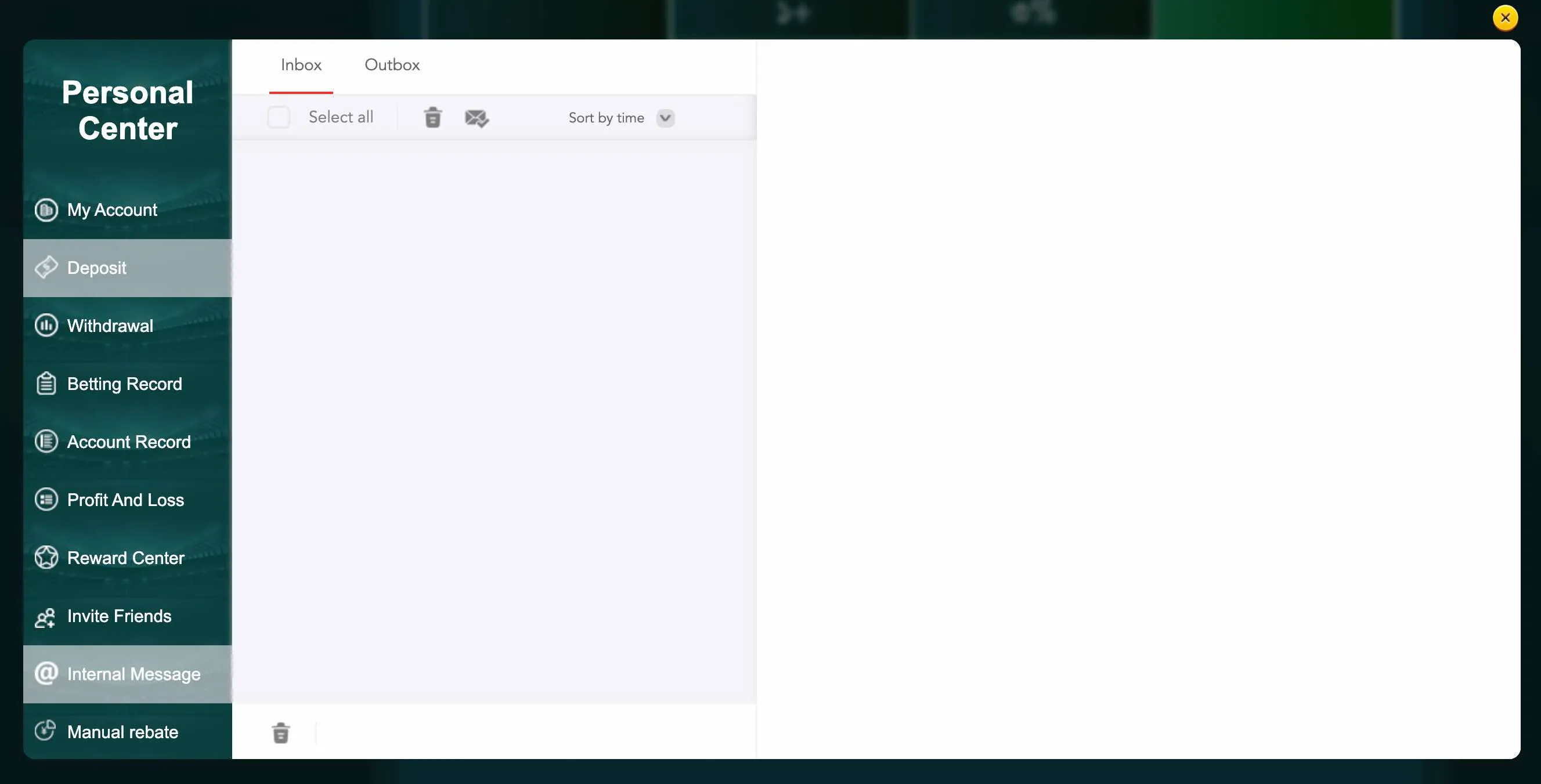
Internal messages center at EK333

After login, internal messages inform you about device logins, security alerts and support replies.

EK333 uses SSL encryption, device checks and internal alerts to track new logins and protect your BDT balance during every session.

Log in to your Casino EK333 account only from official pages and keep two factor protection active for safe deposits and withdrawals.

Login, payments and account verification

A correct login is strongly linked with financial operations in Casino EK333.

After you enter the account, the Deposit and Withdrawal sections become active. The platform verifies that the logged in user name matches the owner of the Bkash, Nagad or Rocket wallet. This reduces the risk of someone else trying to cash out your winnings.

Sometimes, after login, EK333 can request additional KYC documents before large withdrawals. This is normal practice for licensed platforms in Bangladesh and Asia. Once documents are approved, future logins and cashouts usually run faster, because your identity is already confirmed.

If the system suspects unusual device or IP, it may block withdrawals until you log in again and pass extra confirmation. This slows down fraud but keeps honest players safe. You can always check the status of these checks in the Account Record and Internal Message sections right after signing in.
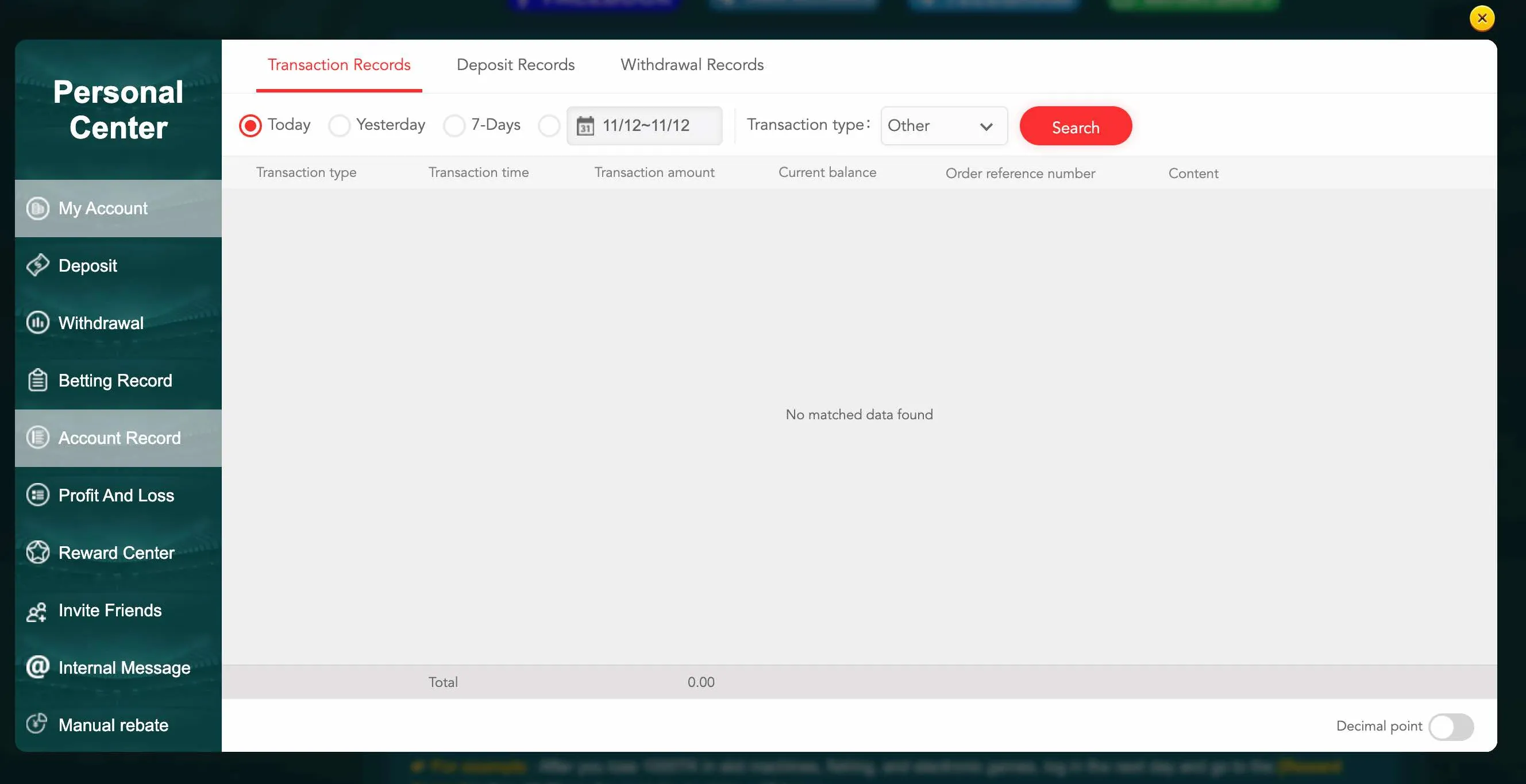
Account record after EK333 login

The Account Record panel, available after login, shows deposits, withdrawals and other operations by date and type.

FAQ about EK333 login

Below are short answers to the most frequent questions from Bangladesh players about entering Casino EK333.

Login help

How do I log in to EK333 for the first time

If you have just created an account, open the official site or app and press the Login button in the top right corner. Enter the same Bangladeshi phone number and password that you used during registration, then tap Login. The system will open your profile with balance and betting options.

What should I do if the EK333 password does not work

First, check that Caps Lock is off and the keyboard language is correct. Try to type the password in a text field to see if any characters are missing. If you still get an error, press the Forgot password link, request an SMS code or email and set a new secure password that matches EK333 rules.

Can I stay logged in on my phone all the time

Yes, you can use the Remember Me checkbox on the login form or keep the session in the mobile app. Do this only on your personal device with screen lock enabled. If the phone is shared with others, it is better to log out after every session to protect your account.

How do I log in to EK333 with Google or Facebook

On the login screen you will see small buttons for Google and Facebook below the main form. Tap the chosen option, confirm your social account in the pop up and allow the link. The platform will connect this social profile to your existing EK333 account and next time you can log in in one tap.

Why does EK333 ask for a code after entering the password

If you enabled two factor authentication or the system detects a new device, EK333 sends a one time code by SMS or email. You need to enter this code on the site or in the app to complete the login. This protects your account even if someone else somehow learned your password.

How can I log out of my EK333 account

After you finish playing, open the profile menu in the top right corner and scroll to the Sign out option. Press it to close the session on this device. If you want to log out from all devices at once, contact support and ask to clear active sessions linked to your account.

What if I cannot access the phone number used for registration

If your SIM card is lost or changed, use live chat or email from the same name as in your profile. Support will ask for additional proof like national ID photo and recent payment screenshots. After verification, they can update the phone number on your account so you can log in again.

Is it safe to log in from a gaming cafe in Dhaka or Chittagong

It is better to avoid logging in from public PCs. If you have no other choice, never press Remember Me in the browser and log out after the session. Do not save the password in the browser and clear cookies if possible. For regular play, EK333 recommends the mobile app or your own laptop on a secure connection.

Do not share your EK333 login details with anyone, including people claiming to be support staff. Real employees never ask for your password or SMS codes.

Logging in to Casino EK333 is a simple routine when you understand where the buttons are, how the form works and how to reset the password if needed. Follow these steps, keep two factor protection active and use your personal devices. This way you keep access to games, BDT payments and bonuses stable and safe every time you sign in.

If you also need an overview of games, payments and security on the platform, check the general information about EK333 on the home page.

Go to EK333 homepage
Proceed to EK333 visit page